Import Containers
Cost, price, approve and release import containers
Version: 19.0.1.8.1
Inventory

Import Containers
Cost, price and release import containers in standard Odoo
Group the purchase orders shipped in one container, work out what each item really cost once freight, clearing, duty and the real price of foreign currency are added, suggest selling prices, and keep the goods apart until an approver signs off. Receipts, bills, landed costs and valuation stay standard Odoo.
What It Does
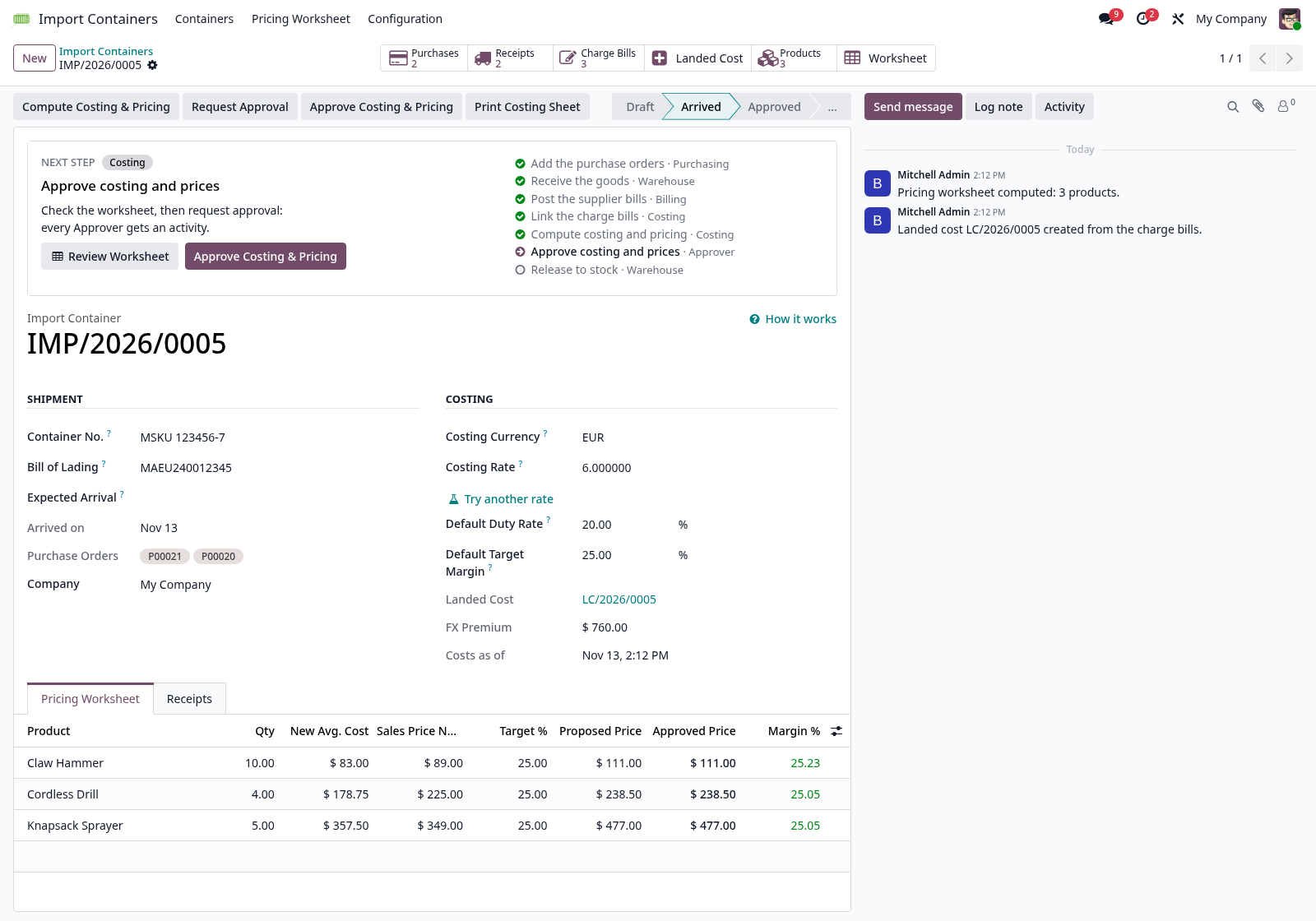
- One container, several suppliers — add the purchase orders; their receipts join the container and it turns Arrived when they are all received.
- One standard landed cost — built from every freight, broker and duty bill linked to the container, each at its own bill's rate.
- Duty by rate and an FX premium — duty on CIF at each item's rate, plus the extra cost of buying the currency at your own Costing Rate.
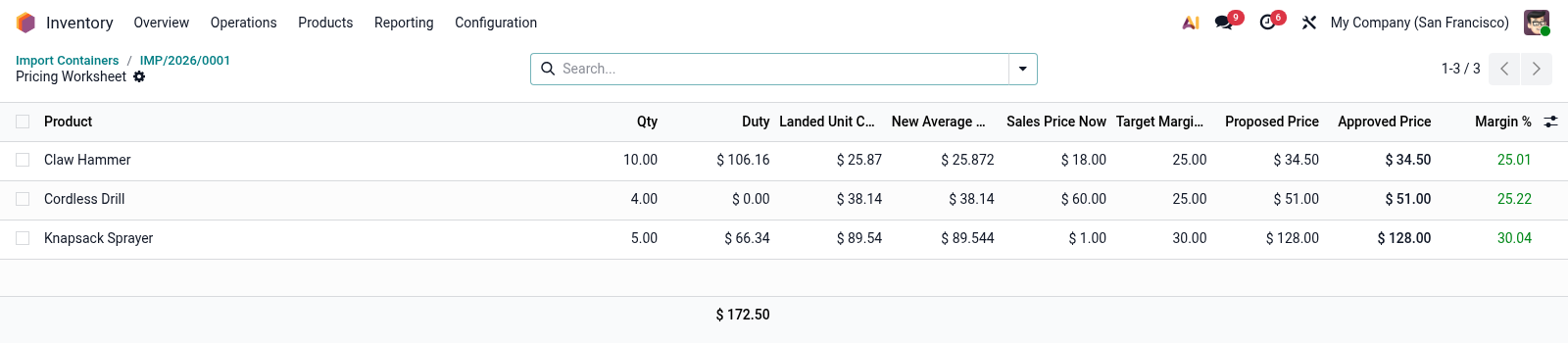
- A pricing worksheet — Odoo's own new average cost, a proposed price from the target margin (rounded up, VAT-aware) and a price the approver can change.
- Approval in one step — posts the landed cost and applies the new Sales Prices together, with a note on every product.
- Import Holding — goods cannot be delivered, scrapped or moved until the container is approved and released to Stock.
The Pricing Worksheet
Each row shows its PO, vendor and vendor product code. Filter by Below target, Price going up, Price going down or New products, and export to Excel with Odoo's standard export.
Who Does What
- Purchasing and Warehouse (Purchase or Inventory User) — create containers, receive, release to stock.
- Costing (Inventory Administrator, Billing and Product: Create) — link charge bills from the container, run Compute Costing & Pricing, request approval. Everything is done from the container.
- Approver (Import Containers: Approver) — checks the worksheet, changes prices, approves.
Setup
- Storage Locations — Inventory → Configuration → Settings, Warehouse: turned on, so receipt types can have their own destination.
- Import Holding — Import Containers → Configuration → Import Holding Locations: an internal location whose parent is the warehouse itself, beside its Stock (Import Holding is ticked for you).
- Import Receipts — a copy of the Receipts operation type with Import Holding as its destination, listed under Configuration → Import Receipt Types; use it as Deliver To on import purchase orders.
- Landed Cost Products — Import Containers → Configuration → Landed Cost Products: freight and insurance By Current Cost with Part of CIF, customs duty By Duty Rate, clearing and handling By Current Cost. Odoo makes new ones Equal, and the container warns about it. Bill Labels (e.g. “freight, agents charges”) give each line of a scanned charge bill its product.
- Settings — Import Containers → Configuration → Settings (or Inventory → Configuration → Settings), Valuation, Import Containers: FX Premium Account and Price Rounding Step.
- Categories — duty rates, target margins and rounding steps, inherited by sub-categories.
- Users — give approvers Import Containers: Approver (it makes them Inventory Administrators too), plus Billing if they run the first costing; Costing staff also need Product: Create.
A step-by-step guide opens from How it works on every container.