Landed Costs: Duty by Rate
Spread customs duty over items by CIF x duty rate
Version: 19.0.1.0.0
Inventory

Landed Costs: Duty by Rate
Share customs duty over items the way your costing sheet does
Customs charges duty on each item's CIF value (goods + freight + insurance), at a rate that depends on the item. This module adds a duty rate to products and product categories and a By Duty Rate split method on landed costs. Validation and stock valuation stay standard Odoo.
What It Does
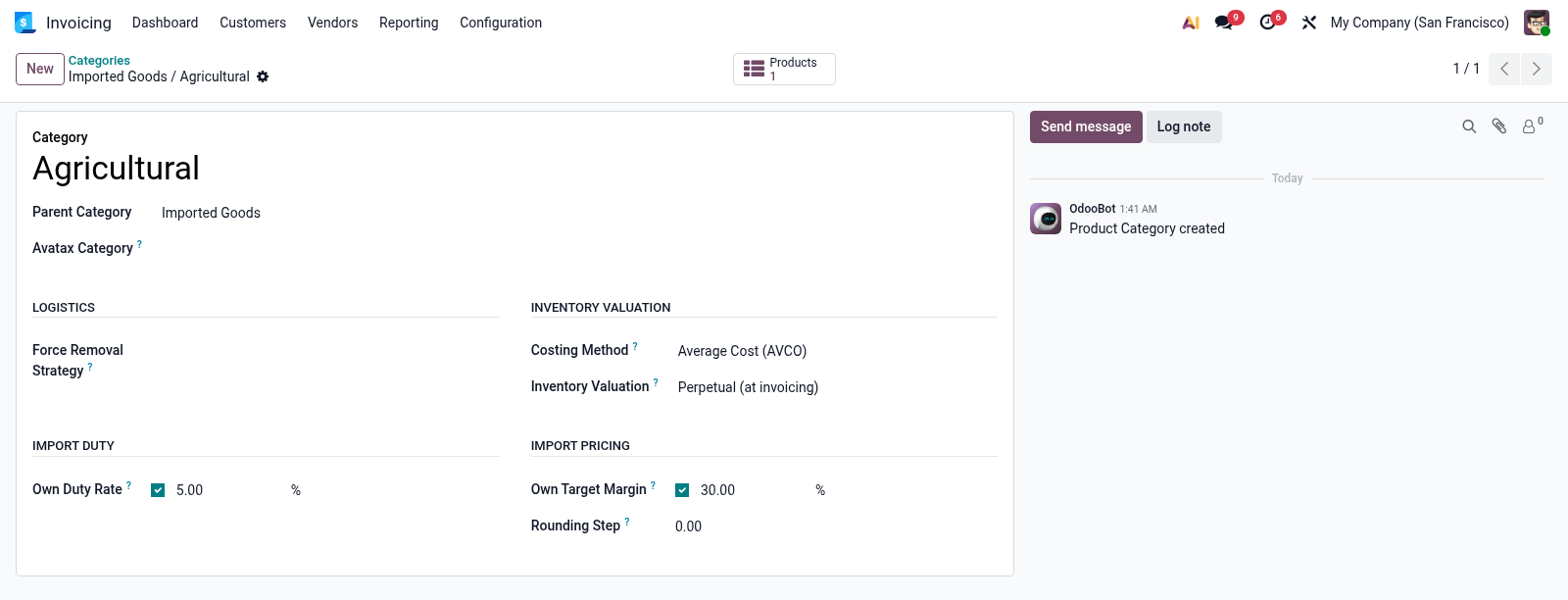
- Duty rates where they belong — a default rate per company, rates by category (inherited by sub-categories) and product exceptions; 0% is a real rate.
- CIF from your landed costs — tick Part of CIF on freight and insurance; duty is charged on goods value plus their shares.
- Exact to the duty bill — each item's share is CIF × its rate, scaled so the total equals the bill; the rounding cent goes to the largest share.
- Checkable per item — CIF, duty rate and where the rate came from shown on the landed cost's Valuation Adjustments.
On the Landed Cost
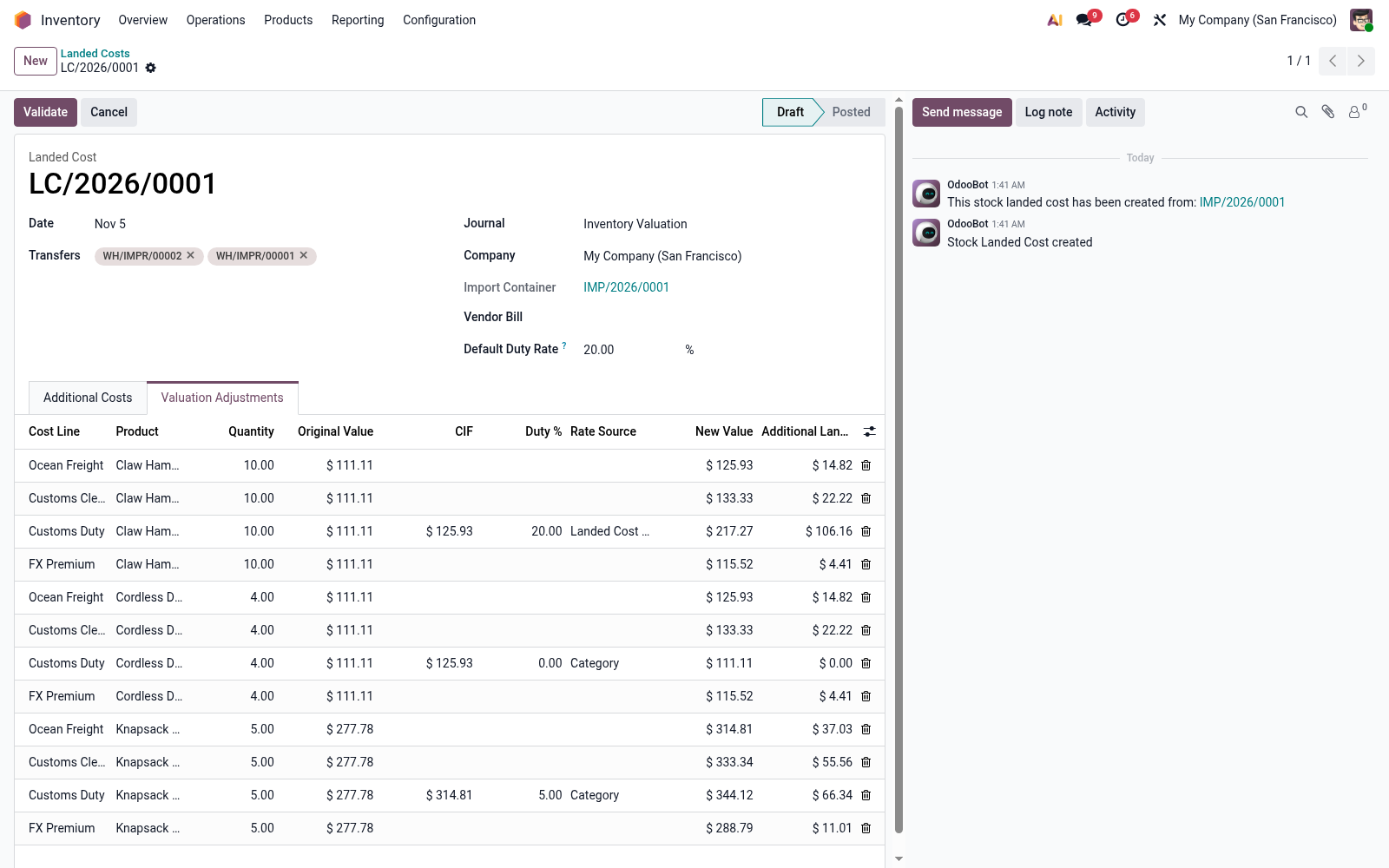
Setup
- Default rate — Inventory → Configuration → Settings, Valuation, Landed Costs: Default Duty Rate (the rate most items pay).
- Category and product rates — tick Own Duty Rate in the Import Duty group and enter the rate beside it.
- Landed-cost products — Part of CIF on Freight and Insurance; split method By Duty Rate on Customs Duty.